
How to Find Your Category Link (URL)
Whether you're linking a button, a section overlay, or anything else to one of your blog categories or tags, here's how to grab that URL!
How to Get the Link to a Category
- From your WordPress dashboard, go to Posts > Categories
- Hover over the name of the category you want.
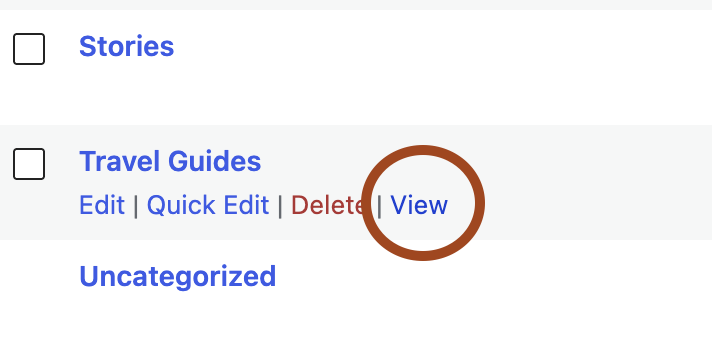
- A row of links will appear underneath it (Edit, Quick Edit, Delete, View)
-
Right-click on View and then click Copy Link or Copy Link Address (this copies the URL without navigating away from the page).
- That's it! Paste the link wherever you need.
💡 Prefer not to right-click? You can also just click View to open the category page, then copy the URL directly from your browser's address bar.
How to Get the Link to a Tag
- From your WordPress dashboard, go to Posts > Tags.
- Hover over the name of the tag you want.
- Right-click View and choose Copy Link or Copy Link Address, or click View to open the tag page and copy the URL from your browser's address bar.