
Tart – Video Icon on Posts

You can tell your readers that a recipe post includes a video by adding a video icon to it!
Just add the tag video to any post that has a video. You can do this a couple of ways:
While editing a post: In the sidebar, open the Tags panel, type video, and press Enter. Then click Update (or Publish).
From your Posts list: Go to Posts > All Posts, hover over the post, and click Quick Edit. Type video in the Tags box (separate tags with commas if the post already has some), then click Update.
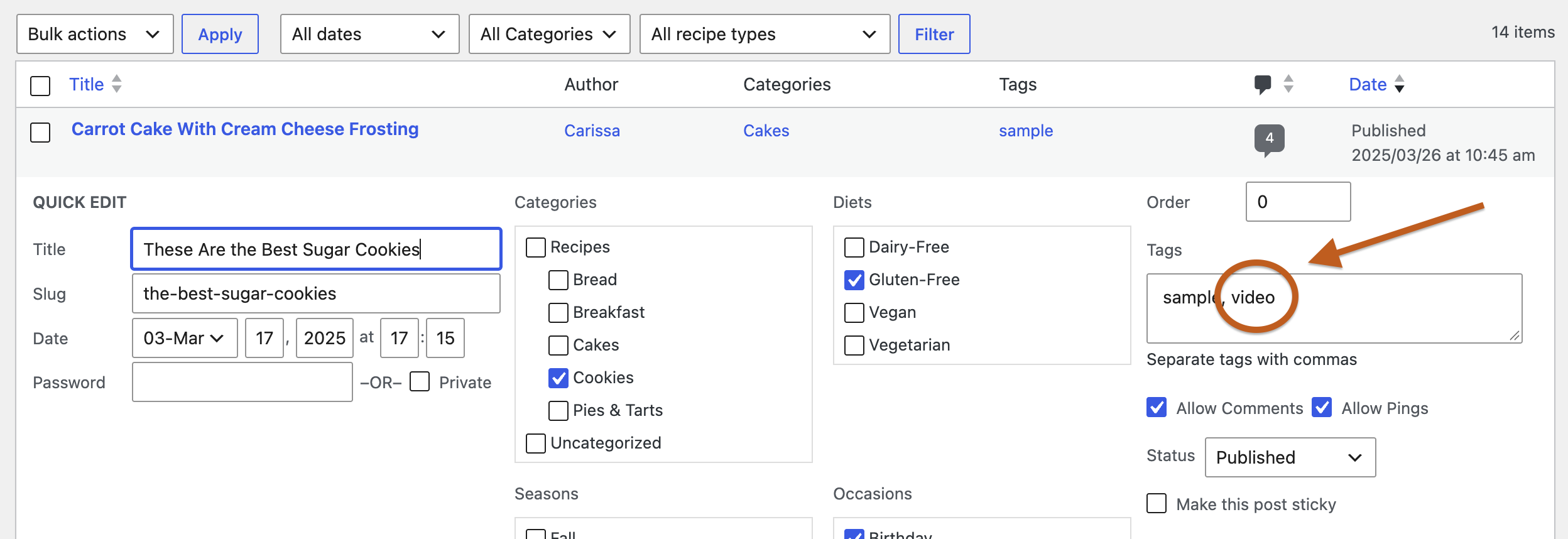
That's it! The play button will show up on that post's featured image right away.
Hiding it in one section only
Don't want the video icons to show on posts in a certain section of your homepage? You can hide it in just that section:
- Click on the Posts block for that section
- In the block settings on the right, open the Advanced tab
- In the Additional CSS class(es) field, type
no-video-icon - Click Save